iOS 26+ · Android 14+ · On-device

Chords from any audio,
on your phone.

Bravo Nota recognizes chords, tunes any instrument, browses every voicing, and keeps time — all on-device. No account, no analytics, no microphone audio ever leaves your phone.
170 CHORD CLASSES
±1 CENT TUNING
<1ms METRONOME DRIFT
0 TRACKERS
Bravo Nota Transcribe screen showing chord timeline
Four tools, one app

Built for musicians who care about precision.

No course-ware, no gamification, no streaks. Just four tools you actually use, engineered to studio standards.

01 / TRANSCRIBE

Chord Recognition

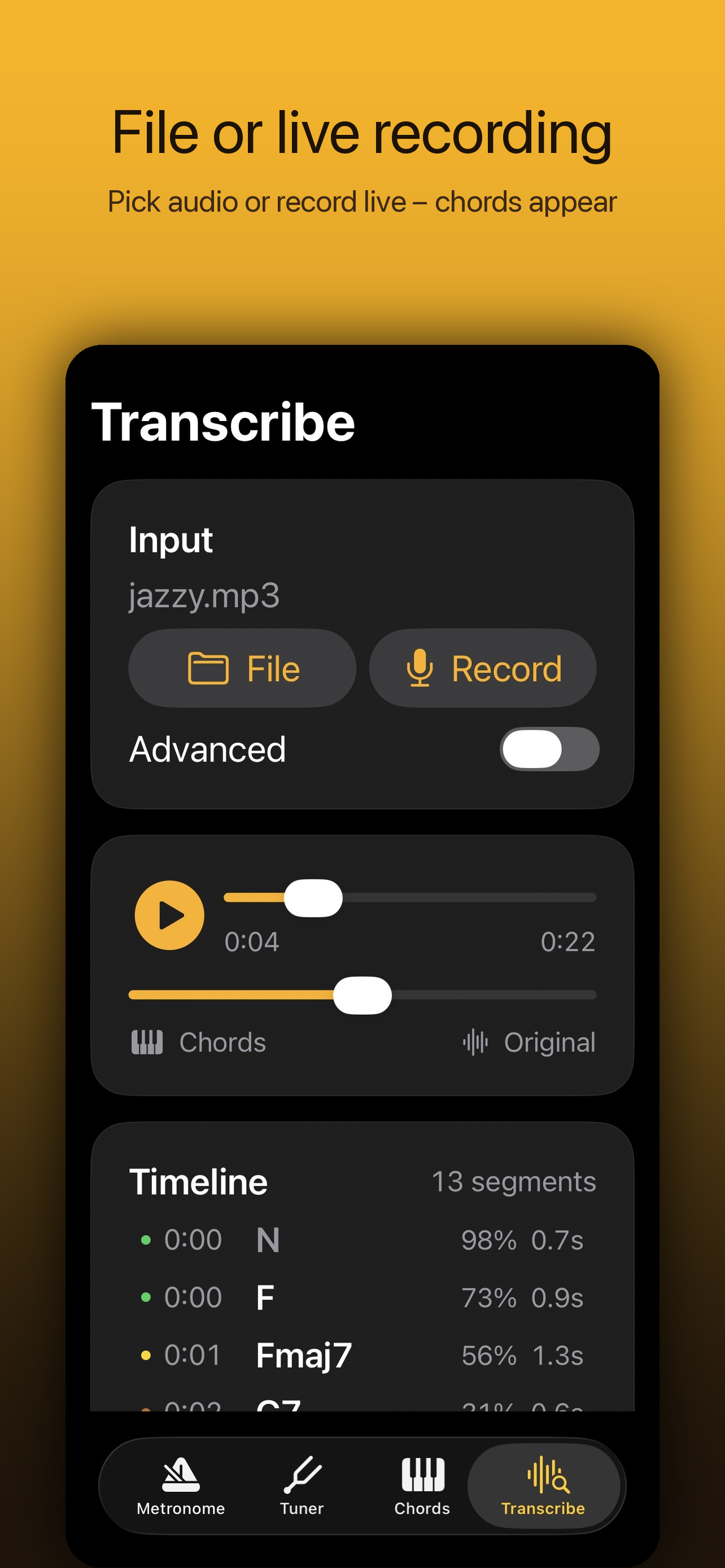
Drop in a file or hit record. A 170-class neural model returns a timestamped chord timeline.

170 chord classes · ~1s per 10s of audio
02 / TUNE

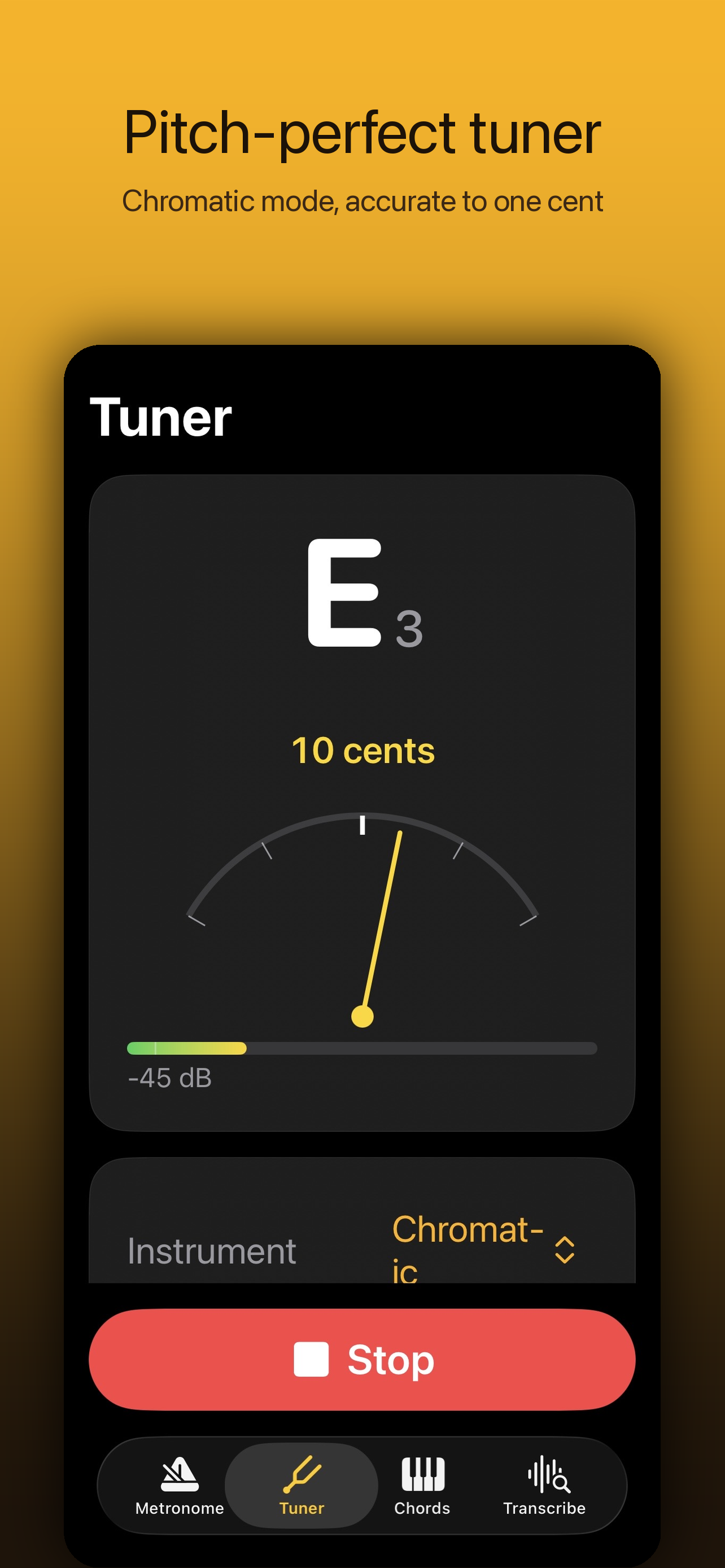
Tuner

Chromatic, guitar, violin presets. ±1 cent precision. A4 calibration 415–466 Hz.

±1 cent · neighboring-string hints
03 / BROWSE

Chord Library

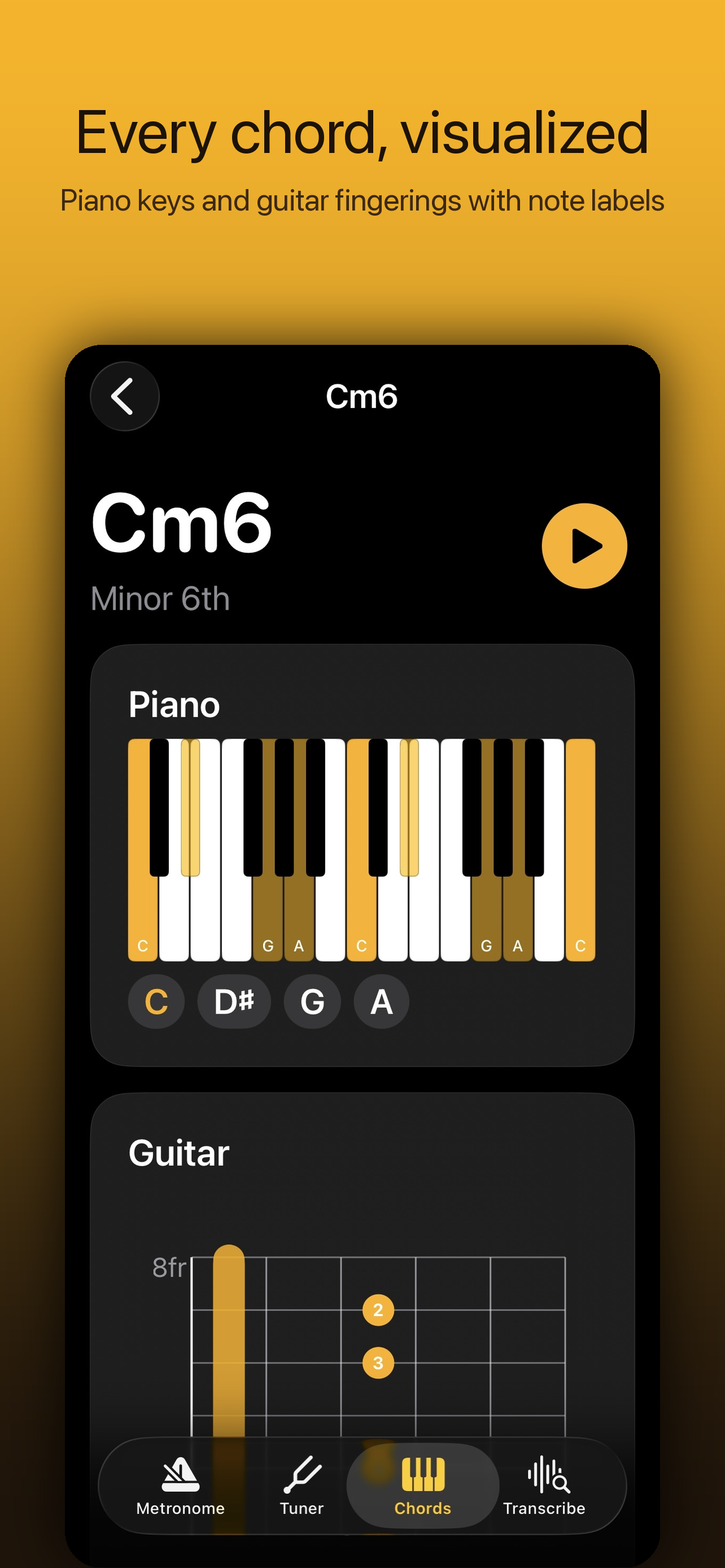
Piano keys + guitar fretboard for every voicing. Tap any chord to hear a clean sine rendition.

19 qualities × 12 roots · CAGED voicings
04 / KEEP TIME

Metronome

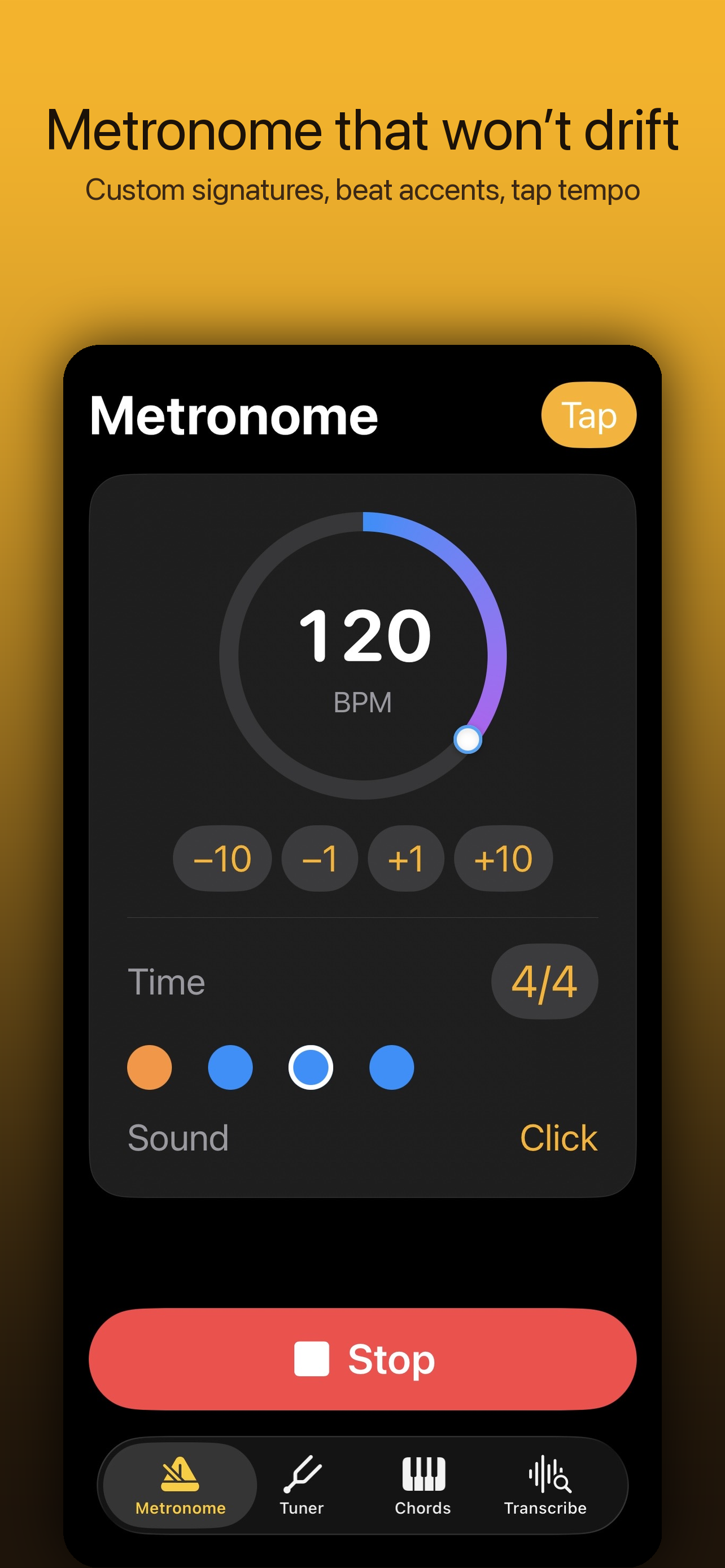
Sub-1ms drift over hours. Time signatures up to 128/128. Per-beat accents, background audio.

<1ms drift · 3 sound kits · per-beat accents
Bravo Nota timeline showing detected chords with confidence and active highlight
01 — Chord Recognition

A timeline you can actually trust.

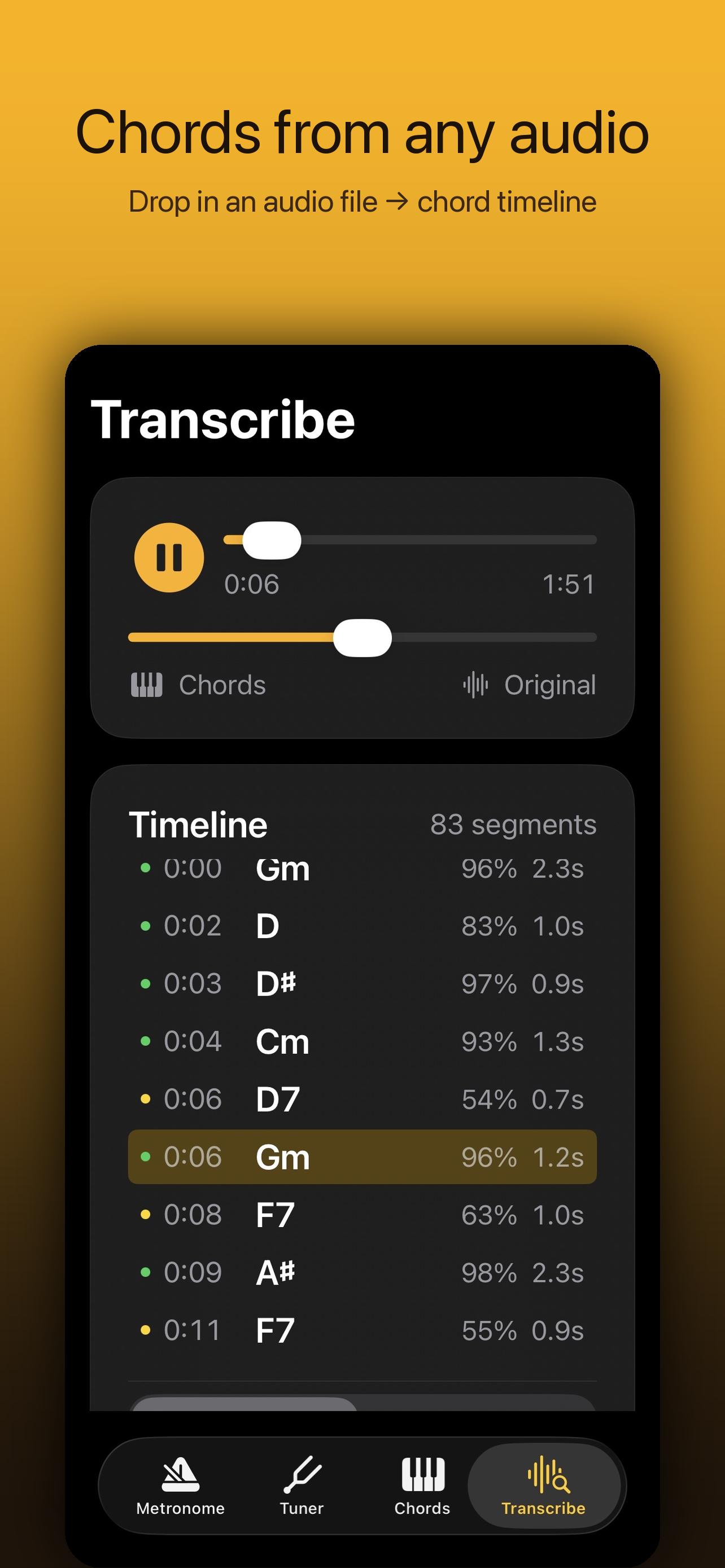
Run any audio through the on-device model and get back a sorted chord track with confidence scores per segment. Toggle Advanced for an 18-pass TTA ensemble that votes across pitch shifts, tempo stretches, and EQ cuts.

  • 170-class vocabularyTriads, sixths, sevenths, half-diminished, minor-major7, suspended — not just majors and minors.
  • File or live recordingDrop an MP3/M4A/WAV/OGG/FLAC/OPUS from Files, or capture live via the mic. Works offline.
  • Karaoke timeline + crossfadeThe active chord highlights as playback advances. Slide between the original audio and a synthesized chord track to A/B what the model heard.
  • Advanced TTA mode18-pass ensemble: pitch shifts × tempo stretches × EQ cuts. Majority vote. Per-segment agreement score.
  • On-device · ~1s per 10s of audioBTC (ISMIR 2019) runs via CoreML on the Neural Engine, or via TensorFlow Lite on Android. Audio is processed in memory and discarded.

Live preview

What the timeline produces. Each row is a stable chord segment with start time, duration, and the model's agreement score.

File · jazzy.mp3 · 1:51
83 segments · advanced mode
170
Chord classes in the BTC vocabulary
18×
Test-time augmentation passes in Advanced mode
±1¢
Tuner precision against the equal-tempered reference
<1ms
Metronome drift over multi-hour sessions
02 — Tuner

Cent-accurate, instrument-aware.

A YIN-pitch-detection backbone with hysteresis on the display so the needle sits still when the note is stable, instead of dancing for stage cred.

  • Chromatic, guitar, violin presetsSwitch tuning context to filter notes outside the instrument's range — also bass, ukulele, mandolin, banjo, cello.
  • Neighboring-string hintsWhen an instrument preset is on, the tuner tells you which string you're closest to and how many cents away.
  • ±1 cent precisionSub-cent frequency resolution with stable hold across short detunes.
  • A4 calibration 415–466 HzFor period instruments, baroque pitch (A=415), or band-specific reference.
  • Logarithmic dB level meterVisual readout so you know when the mic gain is right before you lock in.
Bravo Nota Tuner screen tuning to E3 with cent meter
Bravo Nota chord detail for Cm6 with piano keys highlighted and guitar fretboard
03 — Chord Library

Every voicing, piano and guitar.

A native music-theory engine with 19 chord qualities across all 12 roots — including slash chords. Each chord renders on a piano keyboard with the exact notes labelled and on a guitar fretboard with curated open shapes plus CAGED-style moveable barre voicings.

  • 19 chord qualitiesTriads, sixths, all sevenths, add9, ninths, suspensions, slash chords, half-diminished, minor-major7 — written by a person who plays.
  • Piano + guitar diagramsSwiftUI Canvas on iOS, Jetpack Compose Canvas on Android. The root is colored, the other notes follow.
  • 30 curated guitar voicings + barresHand-picked open shapes for the common keys, then CAGED-style E- and A-shape moveables generated on demand for the rest.
  • Tap to hear the chordA clean sine-bank player renders the exact voicing — useful for ear training without firing up a DAW.
04 — Metronome

Won't drift. Won't choke under load.

Built on a sample-accurate audio scheduler instead of timer callbacks. The clicks land on the beat even when the device is under heavy load or backgrounded.

  • ±1ms drift at 120 BPMSample-accurate scheduling via AVAudioPlayerNode (iOS) and AudioTrack (Android). Verified over multi-hour sessions.
  • Arbitrary meter — up to 128/128Compound, simple, and arbitrary time signatures via wheel pickers. From 2/4 to 13/16 to 128/128.
  • Per-beat accentsTap each beat dot to cycle accent / normal / mute. Build practice patterns per measure.
  • 3 sound kits + background playClick, woodblock, cowbell — each with distinct accent and normal tones. Keeps clicking when the screen locks, integrates with Control Center / Dynamic Island.
BPM Tap 4× to set
Bravo Nota Metronome screen at 120 BPM with beat dots
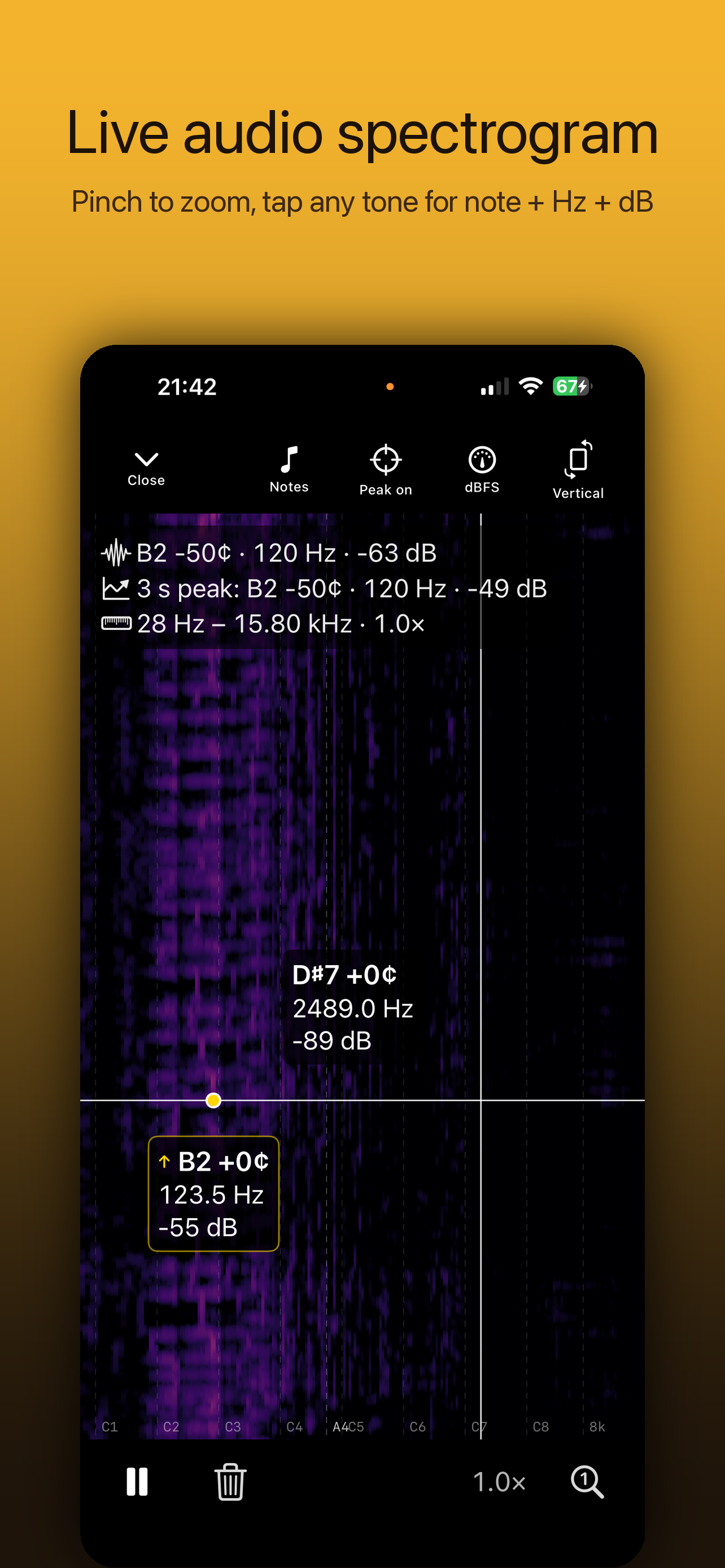
Bravo Nota live audio spectrogram with peak-on markers, Hz and dB readouts
Bonus — Live spectrogram

See pitch as it happens.

A real-time STFT spectrogram with pinch-to-zoom and tap-anywhere readouts. Peak-detection markers latch onto the loudest partial; a 3-second rolling peak shows what just went by. Toggle musical note overlays or raw Hz, and switch between dBFS or peak normalization.

  • Tap for note + Hz + dBAnywhere on the time-frequency plane. Useful for chasing intonation in choirs and string ensembles.
  • Peak-on trackingLocks onto the loudest partial in real time. 3-second rolling peak shown alongside instantaneous reading.
  • Horizontal or vertical orientationRotate the view for landscape analysis; useful when reading scrolling melodies.
Privacy

Your audio stays on your phone.

No analytics. No ads. No microphone audio or imported file ever leaves your device — we don't have a server to send it to.

Read the full privacy policy.

×Zero analytics SDKs.
×Zero advertising trackers.
×No account, no login, no email.
×Audio processed in memory, never written to disk.
×No data sharing — there's nothing to share.
Support

Direct line, no ticket queue.

One person makes this app. If you have a question, a bug, or a feature request, write directly.