iOS 26 · iPhone · v1.0

Chords from any audio,
on your iPhone.

Bravo Nota recognizes chords, tunes any instrument, and keeps time — all on-device. No subscription. No analytics. No microphone audio ever leaves your phone.

170 CHORD CLASSES
±1 CENT TUNING
<1ms METRONOME DRIFT
0 TRACKERS
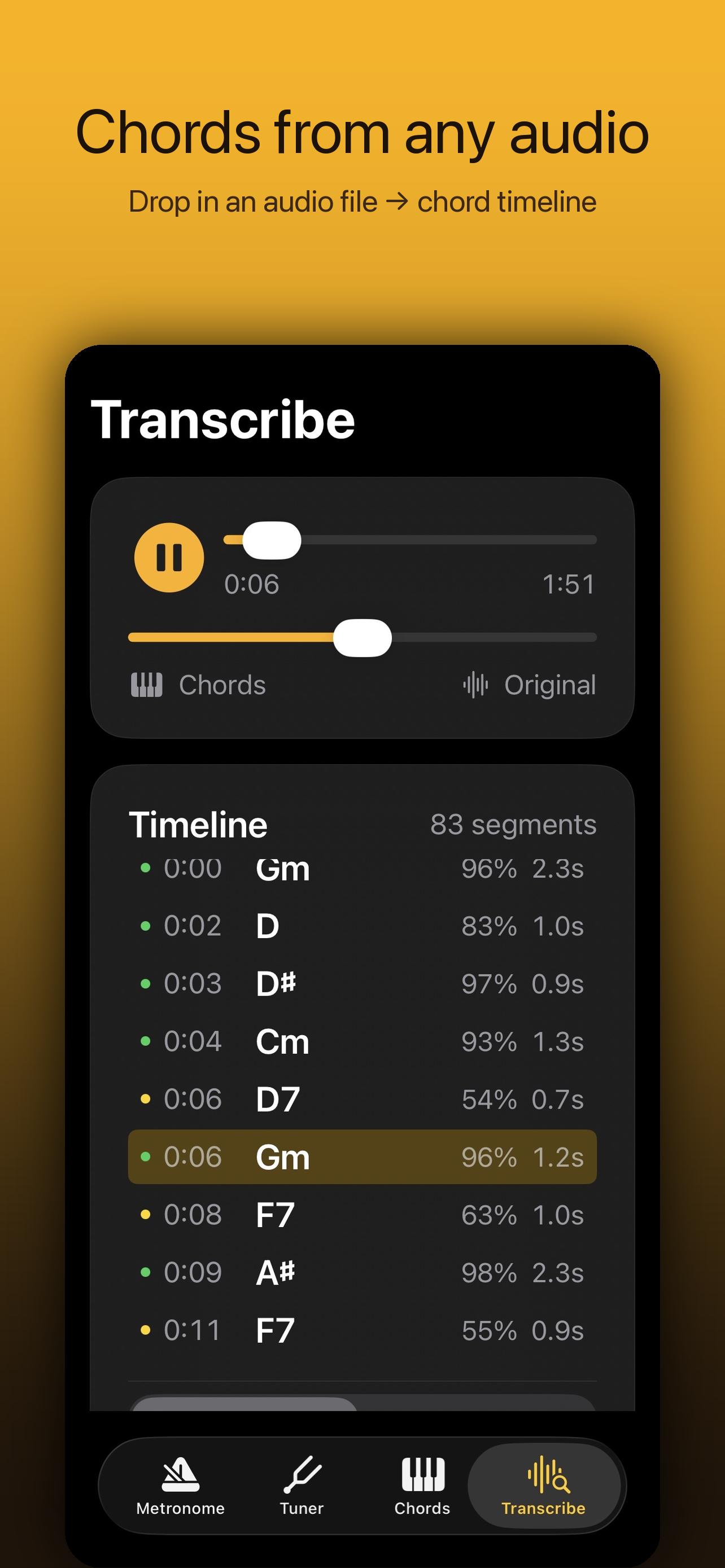
Bravo Nota Transcribe screen showing chord timeline
Three tools, one app

Built for musicians who care about precision.

No course-ware, no gamification, no streaks. Just three tools you actually use, engineered to studio standards.

01 / TRANSCRIBE

Chord Recognition

Drop in a file or hit record. A 170-class neural model returns a timestamped chord timeline.

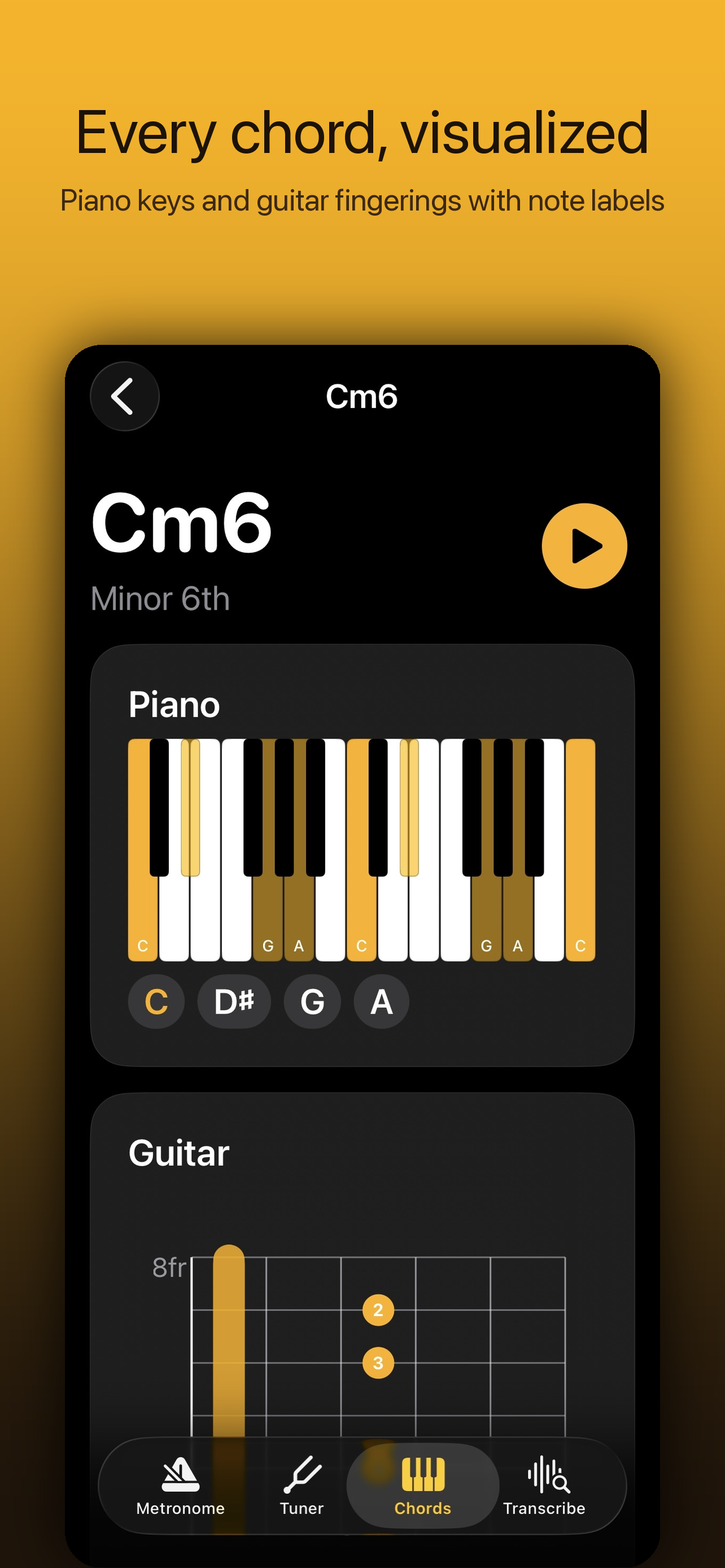
170 chord classes — maj, min, dim, aug, sus, 6, 7, maj7, m7, dim7, hdim7, m(maj7)
02 / TUNE

Tuner

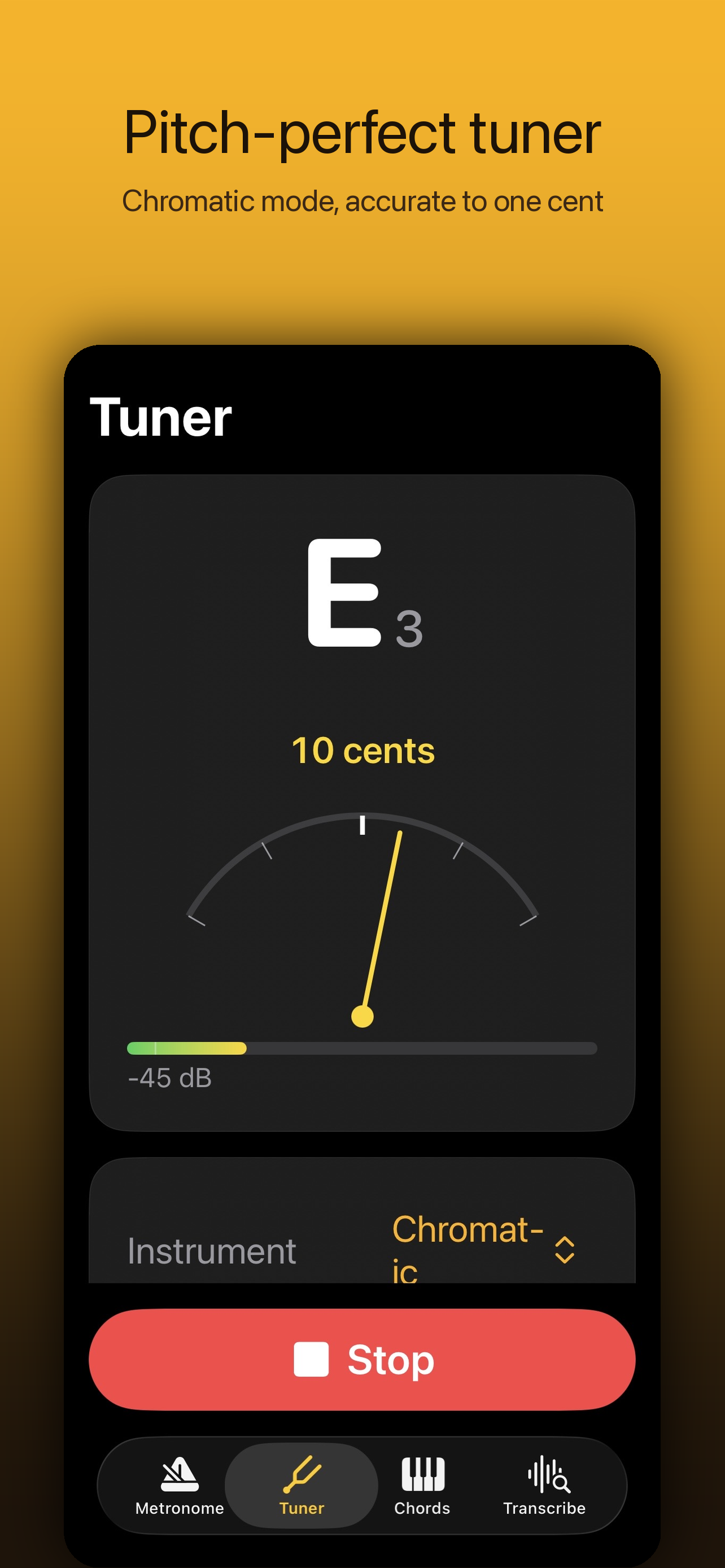
Chromatic, guitar, violin presets. ±1 cent precision. A4 calibration from 415 to 466 Hz.

±1 cent precision · 415–466 Hz reference
03 / KEEP TIME

Metronome

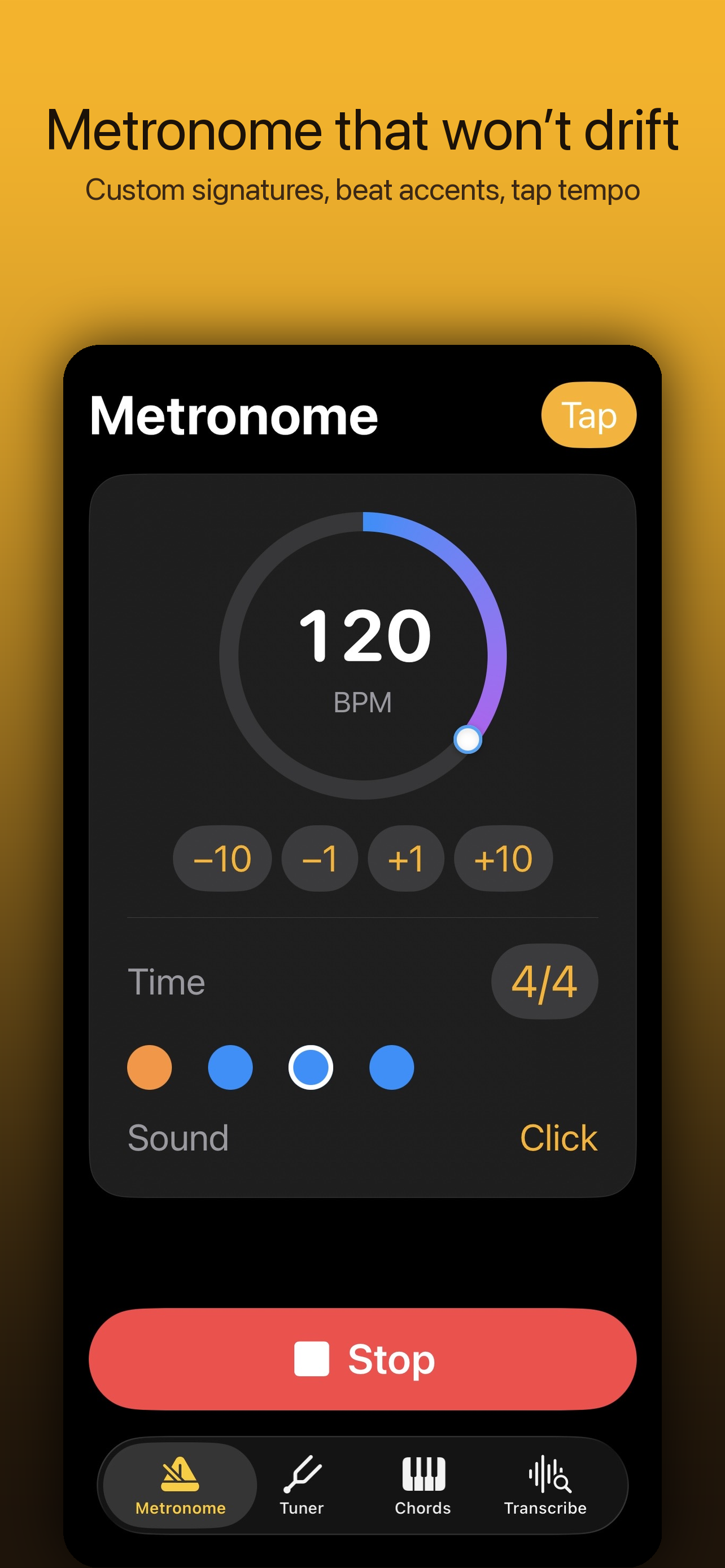
Sub-1ms drift over hours. 2/4 to 12/8 plus custom. Per-beat accents, background audio.

<1ms drift · 5 click sounds · per-beat accents
Bravo Nota timeline showing detected chords with confidence
01 — Chord Recognition

A timeline you can actually trust.

Run any audio through the on-device model and get back a sorted chord track with confidence scores per segment. Toggle Advanced for a 14-pass TTA ensemble that votes across pitch shifts, tempo stretches, and EQ cuts.

  • 170-class vocabularyTriads, sixths, sevenths, half-diminished, minor-major7, suspended — not just majors and minors.
  • File or live recordingDrop an MP3/WAV/M4A from Files, or capture live via the mic. Works offline.
  • Advanced TTA mode14-pass ensemble: pitch shifts × tempo stretches × EQ cuts. Majority vote. Per-segment agreement score.
  • On-device, alwaysNo upload. No queue. No server-side cost passed back to you. Audio is processed in memory and discarded.

Live preview

What the timeline produces. Each row is a stable chord segment with start time, duration, and the model's agreement score.

File · jazzy.mp3 · 1:51
83 segments · advanced mode
170
Chord classes in the BTC vocabulary
14×
Test-time augmentation passes in Advanced mode
±1¢
Tuner precision against the equal-tempered reference
<1ms
Metronome drift over multi-hour sessions
02 — Tuner

Cent-accurate, instrument-aware.

A YIN-pitch-detection backbone with hysteresis on the display so the needle sits still when the note is stable, instead of dancing for stage cred.

  • Chromatic, guitar, violin presetsSwitch tuning context to filter notes outside the instrument's range.
  • ±1 cent precisionSub-cent frequency resolution with stable hold across short detunes.
  • A4 calibration 415–466 HzFor period instruments, baroque pitch (A=415), or band-specific reference.
  • Signal level meterVisual dB readout so you know when the mic gain is right before you lock in.
Bravo Nota Tuner screen tuning to E3 with cent meter
Bravo Nota Metronome screen at 120 BPM
03 — Metronome

Won't drift. Won't choke under load.

Built on a sample-accurate audio scheduler instead of timer callbacks. The clicks land on the beat even when the device is under heavy load or backgrounded.

  • Sub-1ms driftSample-accurate scheduling, not setTimeout. Verified over multi-hour sessions.
  • 2/4 through 12/8 + customCompound, simple, and arbitrary meter — define your own time signatures.
  • Per-beat accentsMark any beat as accent, normal, or silent. Build practice patterns per measure.
  • Background audio + tap tempoKeeps clicking when the screen locks. Tap tempo with smoothing for noisy taps.
BPM Tap 4× to set
Privacy

Your audio stays on your iPhone.

No analytics. No ads. No microphone audio or imported file ever leaves your device — we don't have a server to send it to.

Read the full privacy policy.

×Zero analytics SDKs.
×Zero advertising trackers.
×No account, no login, no email.
×Audio processed in memory, never written to disk.
×No data sharing — there's nothing to share.
Support

Direct line, no ticket queue.

One person makes this app. If you have a question, a bug, or a feature request, write directly.